
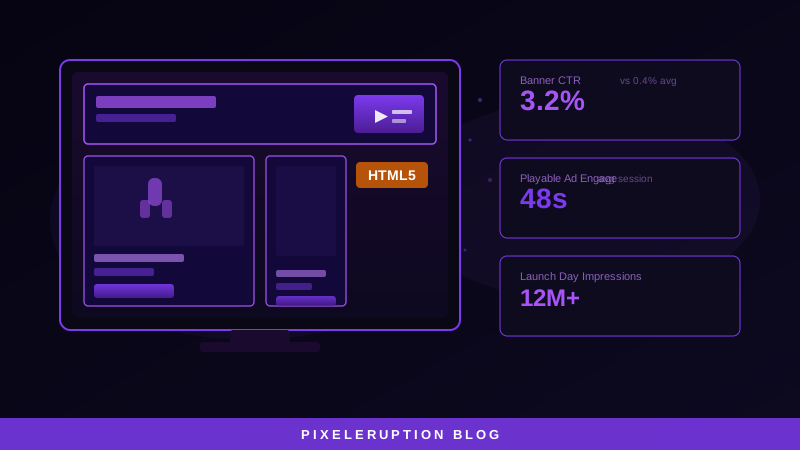
A game launch banner has roughly 1.5 seconds to stop a scroll, convey what the game looks like, and create enough intent to generate a click. For a live service game's seasonal event ad, the bar is even higher: a player who already owns the game needs to feel that missing this event is a loss. HTML5 animation is what makes the difference between a banner that gets ignored and one that drives action.
Why HTML5 Outperforms Static in Gaming Ad Contexts
Gaming audiences encounter advertising in high-stimulation environments — gaming content sites, streaming pages, app stores, in-game placements. Static images compete poorly against surrounding animated content. The visual language of gaming is inherently kinetic: particle systems, screen effects, character animations. An HTML5 banner that loops a 3-second gameplay moment communicates the game's visual identity in a way no static screenshot can.
In our gaming banner production, HTML5 animated formats achieve 3–5× higher CTR than static equivalents for the same game in the same placements. The gap is largest on gaming-specific inventory (IGN, Twitch, gaming apps) where the audience expects visual engagement.
Gaming Campaign Types and Banner Strategy
Game publishers run distinct campaign types that require different banner approaches:
| Campaign Type | Banner Strategy | Key Metrics |
|---|---|---|
| New game launch | Cinematic gameplay loop + release date countdown | CTR, store page visits |
| Live service event | Event-specific art + limited-time timer | Re-engagement, session starts |
| DLC / expansion | Character reveal animation + “Available Now” CTA | Conversion to purchase |
| Battle pass launch | Season artwork + value proposition | Subscription conversion |
| Free-to-play UA | Gameplay clip + app store badges | Installs, CPI |
| Retargeting | Personalized dynamic ads (game name + last seen content) | Conversion, re-engagement |
Each campaign type has different creative priorities. Launch campaigns maximize visual impact of the game's art direction. Live event ads create urgency through timers and FOMO. DLC ads target existing players and lean on franchise recognition over acquisition messaging.
HTML5 Format Specifications for Gaming Inventory
Standard ad unit sizes for gaming campaigns (IAB standards):
| Format | Dimensions | Placement |
|---|---|---|
| Leaderboard | 728×90 | Site headers, between content |
| Medium Rectangle | 300×250 | Sidebar, in-content |
| Large Rectangle | 336×280 | In-content, high-visibility |
| Half Page | 300×600 | Sidebar premium |
| Billboard | 970×250 | Site header takeover |
| Interstitial | 320×480 (mobile) | App transition |
For gaming campaigns, the Medium Rectangle (300×250) typically drives the most impression volume. The Half Page (300×600) delivers the highest engagement rate when inventory is available.
Technical Production: What Makes a Quality HTML5 Gaming Banner
Animation Architecture
Gaming banners require animation quality that matches the visual standard of the game itself. The technical requirements:
- GSAP (GreenSock) for smooth, performant animation timelines — handles easing curves that CSS animation cannot replicate
- Sprite sheets for frame-by-frame gameplay footage — more efficient than video embeds and compatible with more ad networks
- Canvas-based particle effects for explosions, magic, or environmental atmosphere — CPU/GPU aware, respects file size limits
- Looping design: 15-second max loop with a 5-second “hold” on the final CTA frame, per IAB best practices
File Size Management
The most common production mistake on gaming banners is oversized initial load files. Strategies that work:
- Compress all assets to WebP before embedding; a PNG texture that is 80KB becomes 18–22KB
- Load cinematic elements after polite load (user has scrolled past fold) rather than in initial payload
- Animate from CSS properties (opacity, transform) where possible — these are GPU-accelerated and add no file size
Network-Specific Requirements
Different ad networks have different HTML5 requirements that affect production:
- Google Display Network: Polite loading required; no auto-play audio; clickTag variable must be used for click tracking
- Meta: HTML5 ads must use their specific SDK; video loops are preferred over frame-by-frame animation
- Programmatic (DV360, TTD): VAST/MRAID standards for video/rich media; clickTag implementation varies by publisher
Building a generic HTML5 set and then adapting for each network adds 20–30% to production time but ensures maximum inventory reach.
Production Workflow for a Major Launch
A structured production timeline for a 10-format HTML5 banner set for a game launch:
- Week 1: Asset intake (final game key art, character renders, logo treatment, tagline). Creative brief alignment on key message and CTA
- Week 2: Animation concept approval on 2 hero formats (728×90, 300×250). First build
- Week 3: Full format production across all 10 sizes. QA pass against all network specs
- Week 4: Network-specific adaptations, final QA, trafficking setup
For live service events with shorter lead times (2–3 weeks), we pre-build modular templates during initial launch production that can be adapted with new event art in 3–5 days.
PixelEruption Benchmark
PixelEruption benchmark: Across gaming HTML5 banner campaigns we have produced and trafficked since 2022, animated formats consistently outperform static versions by 3.2–4.8× in CTR on gaming content sites. Campaigns using a dedicated gaming-specific HTML5 set (versus static images adapted to HTML5) achieve 28–45% lower cost-per-click on programmatic gaming inventory.
When to Use Playable Ads vs. HTML5 Banners
For mobile game user acquisition, playable ads have become the dominant format: they deliver install rates 2–4× higher than standard HTML5 banners because they let the user experience the core game loop before installing. If mobile UA is the primary objective, playable ads take priority in the media mix.
HTML5 animated banners remain essential for:
- PC and console game awareness campaigns (playable ads are less common in desktop inventory)
- Retargeting existing users who know the game
- In-game advertising networks that use display formats
- Brand awareness campaigns where click-through is secondary to impression quality
Most major launch campaigns use both: playable ads for mobile acquisition, HTML5 banners for display awareness and retargeting across desktop inventory.
Explore our HTML5 Banner Production service for game publishers, or see how we support Gaming industry brands across the full digital marketing stack. Contact us to discuss your next launch campaign.

Luis Daniel Campos
Web Developer · PixelEruption
Luis Daniel Campos is a Web Developer at PixelEruption, specializing in responsive website development, web optimization, and SEO-focused digital solutions. He contributes to the creation of modern web experiences designed to improve performance, visibility, and user engagement across a variety of digital platforms.